CCtv Master
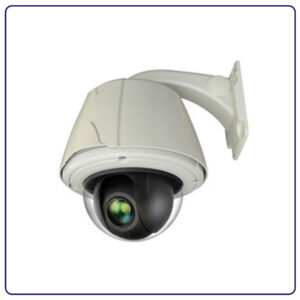
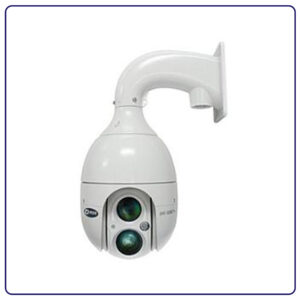
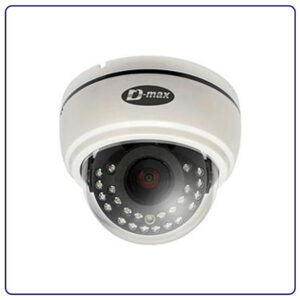
في عام 2026، أصبحت أنظمة كاميرات المراقبة أكثر من مجرد أدوات للأمن – إنها شريك ذكي يحمي ممتلكاتك ويساعدك في إدارة أعمالك بكفاءة. شركة ايتاس تكنولوجي تقدم لك أحدث وأفضل حلول تركيب كاميرات مراقبة في مصر بتقنيات الجيل الخامس والذكاء الاصطناعي، مع ضمان شامل وصيانة مجانية.
سواء كنت تبحث عن كاميرات مراقبة للمنازل لحماية عائلتك، أو أنظمة CCTV للشركات لمراقبة أعمالك، أو حلول مراقبة متطورة للمصانع والمستودعات، فإن ايتاس تكنولوجي توفر لك كل ما تحتاجه بأفضل الأسعار في السوق المصري.
💡 لماذا ايتاس تكنولوجي هي الخيار الأول في مصر 2026؟
✅ خبرة 15+ عام في مجال أنظمة المراقبة | ✅ كاميرات عالمية معتمدة | ✅ تركيب احترافي وسريع | ✅ ضمان 3 سنوات | ✅ صيانة مجانية | ✅ دعم فني 24/7
أحدث تقنيات الذكاء الاصطناعي في كاميرات المراقبة
عام 2026 شهد قفزة نوعية هائلة في تكنولوجيا كاميرات المراقبة، حيث أصبحت أكثر ذكاءً وفاعلية من أي وقت مضى. إليك أبرز التقنيات الحديثة:
التعرف الفوري على الوجوه والأجسام والأنماط المشبوهة مع إنذارات ذكية وتحليل سلوكي متطور
صور فائقة الوضوح بدقة تصل إلى 33 ميجابكسل مع تكبير رقمي بدون فقدان جودة
تقنية Starlight تتيح رؤية ملونة واضحة حتى في الظلام الدامس بدون إضاءة إضافية
حفظ التسجيلات تلقائياً على السحابة المشفرة مع إمكانية الوصول من أي مكان
مشاهدة حية 24/7 من أي مكان بالعالم عبر تطبيقات الهاتف الذكي مع إنذارات فورية
التحدث والاستماع من خلال الكاميرا للتواصل مع الزوار أو تحذير المتسللين
نوفر في ايتاس تكنولوجي جميع أنواع كاميرات المراقبة لتناسب احتياجاتك:
كاميرات IP عالية الدقة – الجيل الجديد من المراقبة
الكاميرات الأكثر تطوراً في 2026، تعمل عبر الإنترنت وتوفر أعلى جودة صورة ومرونة في التركيب.
المميزات الرئيسية:
مثالية لـ: الشركات الكبرى، المصانع، المستودعات، الأبراج الإدارية، المجمعات السكنية
🎁 عرض خاص 2026: احصل على خصم 20% على أنظمة IP الكاملة + تركيب مجاني!
بديل اقتصادي يوفر جودة عالية HD بتكلفة أقل، مناسب للميزانيات المتوسطة.
المميزات الرئيسية:
مثالية لـ: المحلات التجارية، المكاتب الصغيرة، الفلل، المنازل، المطاعم
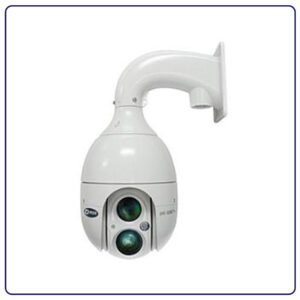
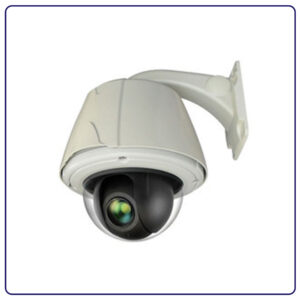
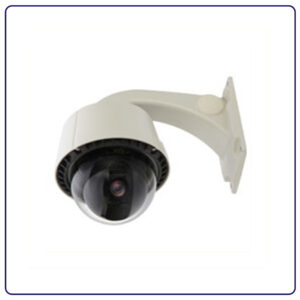
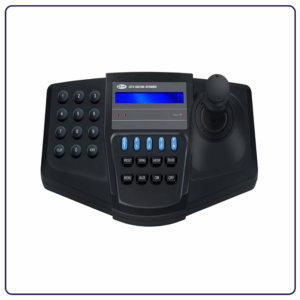
كاميرات PTZ متحركة – تغطية 360 درجة
كاميرات متحركة توفر تغطية شاملة بزاوية 360 درجة مع إمكانية التحكم عن بعد.
المميزات الرئيسية:
مثالية لـ: المولات، مواقف السيارات، الملاعب، المرافق الكبيرة، محطات الوقود
كاميرات أسطوانية مقاومة للعوامل الجوية، مثالية للمراقبة الخارجية.
المميزات الرئيسية:
مثالية لـ: واجهات المباني، الحدائق، مواقف السيارات، البوابات، الشوارع
كاميرات Dome – تصميم أنيق للأماكن الداخلية
كاميرات قبة صغيرة الحجم بتصميم عصري، مناسبة للأماكن الداخلية.
المميزات الرئيسية:
مثالية لـ: المكاتب، المحلات، الممرات، الاستقبالات، الصالات
سهلة التركيب بدون كابلات، مثالية للمنازل والأماكن الصغيرة.
المميزات الرئيسية:
مثالية لـ: المنازل، الشقق، الفلل الصغيرة، المكاتب المنزلية
احمِ عائلتك وممتلكاتك بأحدث أنظمة المراقبة المنزلية:
⚠️ تنبيه هام: لا تترك منزلك بدون حماية!
80% من السرقات تحدث في المنازل بدون أنظمة مراقبة. استثمر في أمان عائلتك الآن بأقل سعر في السوق!
حلول مراقبة احترافية للمصانع والمستودعات
مراقبة شاملة لزيادة الإنتاجية ومنع السرقات:
منع السرقات ومراقبة سلوك الزبائن وتحسين الخدمة:
حماية بيانات الشركة ومراقبة الموظفين والزوار:
حماية المرضى والكادر الطبي مع احترام الخصوصية:
| المعيار | كاميرات IP | كاميرات AHD | كاميرات WiFi |
|---|---|---|---|
| الدقة القصوى | 8K (33MP) | 5MP | 4MP |
| طريقة التوصيل | كابل شبكة PoE | كابل كواكسيال | لاسلكي WiFi |
| سهولة التركيب | متوسطة | سهلة | سهلة جداً |
| التكلفة | عالية | متوسطة | متوسطة |
| الذكاء الاصطناعي | متقدم جداً | أساسي | متوسط |
| المشاهدة عن بعد | ممتازة | جيدة | ممتازة |
| قابلية التوسع | عالية جداً | محدودة | متوسطة |
| الأنسب لـ | الشركات والمصانع | المحلات والمكاتب | المنازل والشقق |
العين التي ترى كل شيء، متوفرة بأنواع ودقات مختلفة حسب الاحتياج.
DVR (Digital Video Recorder): لكاميرات AHD/TVI/CVI التقليدية
NVR (Network Video Recorder): لكاميرات IP الشبكية
المميزات:
لعرض الكاميرات المباشرة والتسجيلات، من 15 إلى 65 بوصة.
هاردات مخصصة للمراقبة (Purple/Surveillance) تعمل 24/7 بكفاءة عالية.
كابلات عالية الجودة لنقل نقي للإشارة بدون تشويش.
محولات طاقة موثوقة أو PoE Switch لكاميرات IP.
لربط الكاميرات بالإنترنت والمشاهدة عن بعد.
فريق عمل محترف ومدرب على أعلى مستوى
نتعامل حصرياً مع أفضل العلامات التجارية العالمية:
عملية تركيب احترافية بأحدث المعدات
| نوع المكان | المساحة التقريبية | عدد الكاميرات الموصى به |
|---|---|---|
| شقة صغيرة | حتى 100 متر | 2-4 كاميرات |
| فيلا متوسطة | 150-300 متر | 6-8 كاميرات |
| فيلا كبيرة | 300-500 متر | 10-16 كاميرا |
| محل تجاري | 50-100 متر | 4-6 كاميرات |
| شركة صغيرة | 200-500 متر | 8-12 كاميرا |
| مصنع/مستودع | 1000+ متر | 20+ كاميرا |
الإجابة: تختلف التكلفة حسب عدة عوامل:
الإجابة:
الإجابة: نعم بكل سهولة! عبر:
الإجابة: يعتمد على:
الإجابة: نعم، قانونية تماماً بشرط:
الإجابة:
الإجابة: يمكن إضافة نظام UPS (بطارية احتياطية) ليعمل النظام أثناء انقطاع الكهرباء لعدة ساعات حسب سعة البطارية.
الإجابة: نعم بالتأكيد! يمكنك:
🎉 مفاجأة: احصل على معاينة مجانية + استشارة فنية متخصصة + عرض سعر تفصيلي فوري!
نوفر خدماتنا في جميع أنحاء جمهورية مصر العربية:
القاهرة، الجيزة، القليوبية، 6 أكتوبر، الشروق، التجمع، المعادي، مدينتي، الرحاب، الشيخ زايد
الإسكندرية، مطروح، العلمين، الساحل الشمالي، برج العرب
الغردقة، شرم الشيخ، دهب، الجونة، مرسى علم، طابا
العاشر من رمضان، السادس من أكتوبر، بدر، الصالحية، العبور
المنصورة، طنطا، الزقازيق، بنها، شبين الكوم، دمنهور
أسيوط، المنيا، سوهاج، قنا، الأقصر، أسوان
في ايتاس تكنولوجي نأخذ أمن بياناتك على محمل الجد:
فريقنا في انتظار مكالمتك لتقديم أفضل الحلول الأمنية
ايتاس تكنولوجي
شريكك الموثوق في الحلول الأمنية المتطورة
✅ معاينة مجانية للموقع
✅ استشارة فنية مجانية
✅ عرض سعر تفصيلي فوري
✅ خصومات خاصة للمشاريع الكبيرة
✅ أنظمة تقسيط مريحة
“أفضل شركة تعاملت معها في مصر. التركيب كان احترافي جداً والسعر ممتاز. الكاميرات شغالة بدون أي مشاكل من سنة.”
– أحمد محمد، صاحب محل تجاري، المعادي
“ركبت 12 كاميرا في الفيلا وخدمة ما بعد البيع ممتازة. الفريق محترم جداً والدعم الفني متاح دايماً.”
– محمود عبدالله، مهندس، القاهرة الجديدة
“جودة الكاميرات ممتازة والصورة واضحة جداً حتى بالليل. التطبيق سهل وبشوف المصنع من أي حتة.”
– ياسر إبراهيم، صاحب مصنع، العاشر من رمضان
في عام 2026، لم يعد الأمان رفاهية بل ضرورة أساسية. مع تزايد معدلات الجريمة وأهمية حماية الممتلكات، أصبح تركيب كاميرات مراقبة استثماراً ذكياً يحمي عائلتك، عملك، وممتلكاتك على مدار الساعة.
ايتاس تكنولوجي ليست مجرد شركة تركيب كاميرات، بل شريك أمني متكامل يضع بين يديك أحدث التقنيات العالمية بأفضل الأسعار في مصر. من الاستشارة الأولية وحتى الدعم الفني المستمر، نحن معك في كل خطوة.
⏰ لا تنتظر حتى تحدث المشكلة!
الوقاية خير من العلاج. استثمر في نظام مراقبة احترافي الآن بأفضل الأسعار الترويجية لعام 2026. العرض محدود!
🛡️ احمِ ما تحب… اختر ايتاس تكنولوجي
📞 اتصل الآن: 01222577316
ايتاس تكنولوجي – رائدون في مجال أنظمة الأمن والمراقبة منذ 2009
📍 نخدم جميع محافظات مصر | 📞 01222577316 | ⏰ متاح 7 أيام أسبوعياً
✅ ضمان 3 سنوات | ✅ صيانة مجانية | ✅ دعم فني 24/7
© 2026 ايتاس تكنولوجي – جميع الحقوق محفوظة
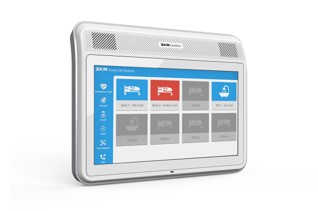
The Comfort Room Control Unit ensures communication between the Nurse Control Panel and the call units in patient rooms. This unit is suitable for surface montage. The unit supports up to 6 Call Units by default, and features a 10” touchscreen and a built-in Mifare card reader, which nurses use to verify their identity when responding to calls. All cards read by the unit are checked for authorization.The Room Control Unit can be used to initiate and terminate emergency code calls (Code Blue-Cardiac Arrest etc.), assist calls, and consultation calls. It allows routine controls the staff to use their cards to log into the room without an active call. The unit logs all activities to the server with timestamps and ID information. If the server connection is interrupted, the Room Control Unit will independently log up to 99 calls until server connection is reestablished. On the Comfort VoIP Room Control Unit, you can make voice calls with other SIP devices on the system. PoE (Power Over Ethernet) or 110-240 V VoIP Full Duplex SIP Conference Call Internal and External Call (with tracking system for billing) Built-in Mifare card Reader Timer/Stopwatch Menu option for personalized task lists based on personnel ID Can display hospital advertisements or other videos Can display educational videos for specific healthcare procedures
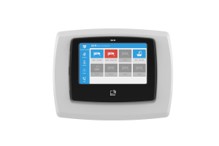
This device ensures communication between Nurse Control Panel and Call Units. It is suitable for both surface and flush montage. It features a 5” touchscreen and built-in RFID card reader, which nurses use to verify their identity when responding to calls. All cards read by the unit are checked for authorization. The Room Control Unit can be used to initiate and terminate emergency code calls (Code Blue-Cardiac Arrest etc.), assist calls, consultation calls, and voice calls to the Nurse Control Panel. It allows routine controls the staff to use their cards to log into the room without an active call. The unit logs all activities to the server with timestamps and ID information. If the server connection is interrupted, the Room Control Unit will independently log up to 99 calls until server connection is reestablished.
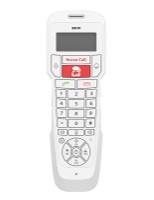
With voice communication, patients can speak directly to the nurses assigned to them. This system allows hospital staff to save time on service, prioritize critical cases, and comfort patients through voice communication. Thanks to the ZKR Comfort Nurse Call System, all conversations between hospital personnel and patients can be recorded, giving opportunities for quality control. Evaluation of nurse performance can be displayed as a graph on the server interface. The Comfort VoIP Handset is easy to use. Patients can press the button labeled “Nurse Call” when they wish to send a regular nurse call signal, or they can press the large call button when they want to speak with the nurse assigned to them. The product is user-friendly, ergonomic, and hygienic. Using intelligent controls, patients can make internal and external phone calls with automatic billing. ZKR Comfort Nurse Call Systems can integrate as PBX analog, digital, and VoIP with any SIP-based brands. • PoE (Power Over Ethernet) • PBX • Full duplex • SIP protocol • Conference call • Function control within the room through Building Management System integration (such as lighting or window blinds) • TV channel and volume control • Internal and external call (with tracking system for billing)
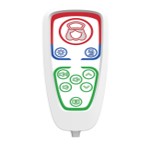
The Pro Patient Handset allows the patient’s condition to be reported quickly to hospital staff in an emergency situation. Easy-to-clean, responsive membrane keypad Works though connection to Bedside Call Unit TV control options (Channel and Volume) EL lights allow visibility in the dark Clearly labeled function buttons can control room lighting, reading lamp, window blinds, etc.
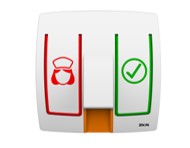
The Bedside Call Unit is used in patient rooms. There are backlit call and cancel buttons on the unit. In an emergency, a patient uses the call button to make an emergency call which appears as an alert on the Nurse Control Panel. Typical locations for this unit are on thewalls of patient rooms and living areas. Handsets work through connection to this unit via RJ45 port on the front Can be flush mounted and has an ergonomic design RJ45 socket on the back provides easy installation Made of high quality PC-ABS-FR Raw Materials Call and Reset buttons are backlit and easy to notice in the dark
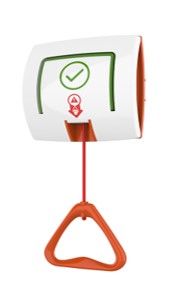
The Pull-cord Call Unit is used in patient bathrooms or similar areas. There is a backlit cancel button and an emergency call pull-cord on the unit. In an emergency, the patient makes an emergency call by pulling the cord. This appears as a WC Emergency Call on the Nurse Control Panel. The system gives priority to WC Emergency calls and they appear before regular Nurse Calls.
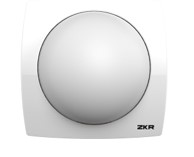
The Over Door Light is located above the patient room door in the corridor. Its half-sphere shape makes it easily noticeable from any angle of view. The Over Door Light can indicate the call status of the room with up to 7 different colors (red, green blue, cyan, yellow, magenta, and white). It has very low energy consumption with environment-friendly LEDs. It is flush mounted by standard, but a surface montage box can be provided if necessary.
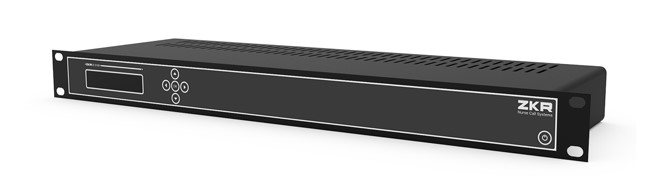
The server controls the operation of the Comfort, Versatile Plus, Versatile, and Air Plus (optional) systems used in hospitals. The server provides log reporting through a web interface and enables integration with other systems used throughout the building. Our servers have a Linux-based robust and reliable infrastructure Troubleshooting and error notification of all system devices Linux Operating System Voice Record Module Integrations Integration with WiFi mobile phones Integration with DECT telephones Integration with pagers Integration with PBX and ability to start emergency codes (such as 1111, 2222, 3333) IP, PRI, BRI, Analog Connection Integration with Fire Alarm Systems (Modbus, Bacnet, Special TCP connection types) Integration with CCTV Systems (Serial Port, Special TCP connection types) Integration with RFID Systems (Web service, Special TCP connection types) Integration with Hospital Information System Integration with Lighting Automation
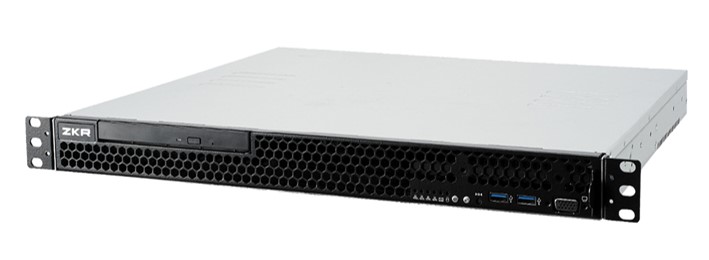
The server controls the operation of the Comfort, Versatile Plus, Versatile, and Air Plus (optional) systems used in hospitals. The server provides log reporting through a web interface and enables integration with other systems used throughout the building. Our servers have a Linux-based robust and reliable infrastructure Troubleshooting and error notification of all system devices Linux Operating System Voice Record Module Fully redundant structure Integrations Integration with WiFi mobile phones Integration with DECT telephones Integration with pagers Integration with PBX and ability to start emergency codes (such as 1111, 2222, 3333) IP, PRI, BRI, Analog Connection Integration with Fire Alarm Systems (Modbus, Bacnet, Special TCP connection types) Integration with CCTV Systems (Serial Port, Special TCP connection types) Integration with RFID Systems (Web service, Special TCP connection types) Integration with Hospital Information System Integration with Lighting Automation
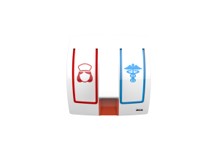
The Code Blue Unit is mounted on the wall as needed in the hospital. There are backlit call and code blue buttons on the unit. The call button may be pressed to initiate a nurse call which appears as an alert on the Nurse Control Panel. The code blue button may be pressed to start a Code Blue call. This button can also be configured as an assist call button.
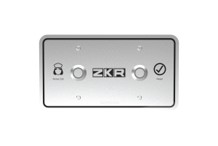
The Custodial Cell Call Unit is flush mounted on the walls of prisoner cells, psychiatric units or similar areas. There are nurse call and call termination buttons on it. It has an aesthetic and durable structure. Flush montage to prevent disassembly RJ45 socket allows easy installation Made of stainless steel Raw Material Vandal-proof, IK-10 certified in structure for use in psychiatric clinics and prisons
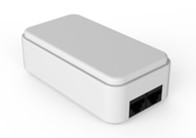
Enables on/off control for two different functions within the room (such as reading lamp or window blinds) from the patient handset. One Function Control Module must be installed per Patient Handset, connected between the Room Control Unit and the Bedside Call Unit via its two RJ45 ports (in/out), or connected to a Call Unit port on the Room Control Unit by itself. The lamps take orders from the Room Control Unit so they must be assigned to the handset which will give them orders. This process takes place after the Call Units are given addresses.
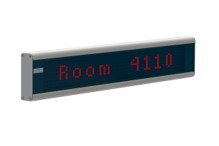
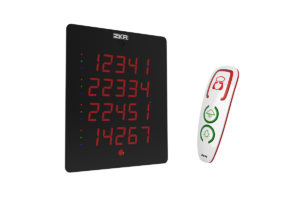
The Text Panel is a scrolling 15-character dot matrix screen. It works with TCP-IP on the network, displays the calls as text, and gives audio alerts. Based on preference it can be set to display only specific types of calls. It works with 110-240 V.

The ZKR Central Monitoring Software is a web-based monitor that observes all activities such as nurse calls, code blue (and any custom emergency codes), assist calls, and nurse presences throughout the hospital. It can show picture IDs of personnel that are present in patient rooms. Different parameters (call type, department, and floor info) can be filtered based on needs. In this way, the focus of health personnel can be directed and reaction and intervention times can be minimized.
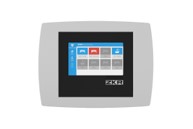
This unit ensures communication between the Nurse Control Panel and the Call Units. It is flush mounted. It has a 4.3’’ touchscreen and supports up to 8 call units. This unit can be used to initiate emergency code calls, assist calls, and consultation calls with Mifare card authorization.
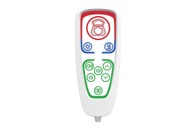
The Pro Patient Handset allows the patient’s condition to be reported quickly to hospital staff in an emergency situation. Easy-to-clean, responsive membrane keypad Works though connection to Bedside Call Unit TV control options (Channel and Volume) EL lights allow visibility in the dark Clearly labeled function buttons can control room lighting, reading lamp, window blinds, etc.
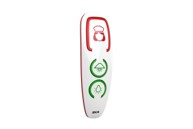
The Basic Patient Handset allows the patient’s condition to be reported quickly to the hospital staff in an emergency situation. Easy to use Works though connection to bedside call unit LED back lights allow easy use in the dark LEDs stay lit when there is an active call until a nurse responds
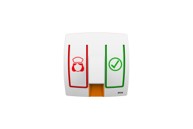
The Bedside Call Unit is used in patient rooms. There are backlit call and cancel buttons on the unit. In an emergency, a patient uses the call button to make an emergency call which appears as an alert on the Nurse Control Panel. Typical locations for this unit are on the walls of patient rooms and living areas. Handsets work through connection to this unit via RJ45 port on the front Can be flush mounted and has an ergonomic design RJ45 socket on the back provides easy installation Made of high quality PC-ABS-FR Raw Materials Call and Reset buttons are backlit and easy to notice in the dark
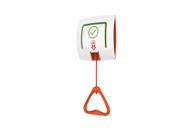
The Pull-cord Call Unit is used in patient bathrooms or similar areas. There is a backlit cancel button and an emergency call pull-cord on the unit. In an emergency, the patient makes an emergency call by pulling the cord. This appears as a WC Emergency Call on the Nurse Control Panel. The system gives priority to WC Emergency calls and they appear before regular Nurse Calls.
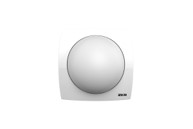
The Over Door Light is located above the patient room door in the corridor. Its half-sphere shape makes it easily noticeable from any angle of view. The Over Door Light can indicate the call status of the room with up to 7 different colors (red, green blue, cyan, yellow, magenta, and white). It has very low energy consumption with environment-friendly LEDs. It is flush mounted by standard, but a surface montage box can be provided if necessary.
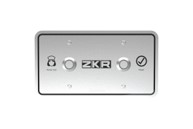
The Custodial Cell Call Unit is flush mounted on the walls of prisoner cells, psychiatric units or similar areas. There are nurse call and call termination buttons on it. It has an aesthetic and durable structure. Flush montage to prevent disassembly RJ45 socket allows easy installation Made of stainless steel Raw Material Vandal-proof, IK-10 certified in structure for use in psychiatric clinics and prisons
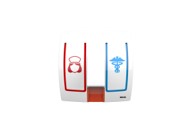
The Code Blue Unit is mounted on the wall as needed in the hospital. There are backlit call and code blue buttons on the unit. The call button may be pressed to initiate a nurse call which appears as an alert on the Nurse Control Panel. The code blue button may be pressed to start a Code Blue call. This button can also be configured as an assist call button.
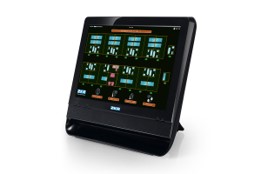
When a call is made, a text notification will appear on screen indicating the type and origin of the call, accompanied by an audio alert. The system uses call type priority while displaying notifications. Nurse calls, emergency calls, WC calls and nurse presences can be tracked on the panel simultaneously. The connectivity between units is maintained by a LAN. There is no limit on the number of rooms that can be connected to the Nurse Panel. All activities passing through the system are logged and can be reported in detail. 99.9% stable Linux-based OS Reliable database structure with MySQL Incoming calls are shown in order of priority Customizable audio alerts On screen real-time analysis of calls received and system error messages Text communication between Nurse Panels Call-forwarding to other Nurse Panels with Night Service feature Can have customized room names on display and in logs
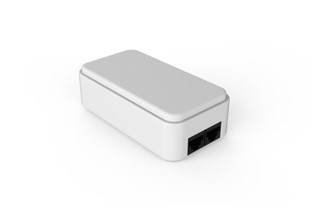
Enables on/off control for two different functions within the room (such as reading lamp or window blinds) from the patient handset. One Function Control Module must be installed per Patient Handset, connected between the Room Control Unit and the Bedside Call Unit via its two RJ45 ports (in/out), or connected to a Call Unit port on the Room Control Unit by itself. The lamps take orders from the Room Control Unit so they must be assigned to the handset which will give them orders. This process takes place after the Call Units are given addresses.
Enables on/off control for two different functions within the room (such as reading lamp or window blinds) from the patient handset. One Function Control Module must be installed per Patient Handset, connected between the Room Control Unit and the Bedside Call Unit via its two RJ45 ports (in/out), or connected to a Call Unit port on the Room Control Unit by itself. The lamps take orders from the Room Control Unit so they must be assigned to the handset which will give them orders. This process takes place after the Call Units are given addresses.
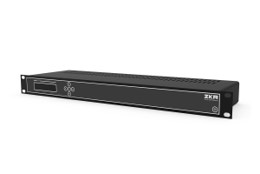
The server controls the operation of the Comfort, Versatile Plus, Versatile, and Air Plus (optional) systems used in hospitals. The server provides log reporting through a web interface and enables integration with other systems used throughout the building. Our servers have a Linux-based robust and reliable infrastructure Troubleshooting and error notification of all system devices Linux Operating System Integration with WiFi mobile phones and messaging Integration with DECT telephones Integration with pagers Integration with PBX and starting emergency codes (such as 1111, 2222, 3333) IP, PRI, BRI, Analog Connection Integration with Fire Alarm Systems (Modbus, Bacnet, Special TCP connection types) Integration with CCTV Systems (Serial Port, Special TCP connection types) Integration with RFID Systems (Web service, Special TCP connection types) Integration with Hospital Information System Integration with Lighting Automation
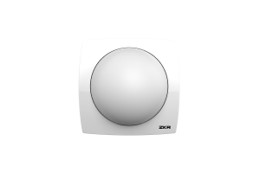
Designed to be used for situations where a separate lamp must be used for each bed in multi-bed areas. Light color can be 7 different hues based on call status. • 7 colors colors (red, green, blue, cyan, yellow, magenta, white) • Very low energy consumption thanks to environment-friendly LEDs • Made of high quality PC-ABS-FR Raw Materials
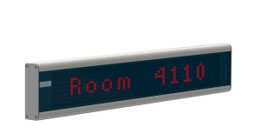
The Text Panel is a scrolling 15-character dot matrix screen. It works with TCP-IP on the network, displays the calls as text, and gives audio alerts. Based on preference it can be set to display only specific types of calls. It works with 110-240 V.
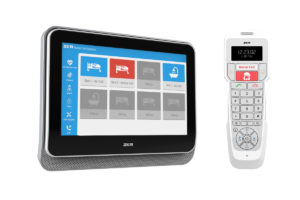
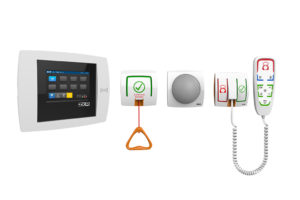



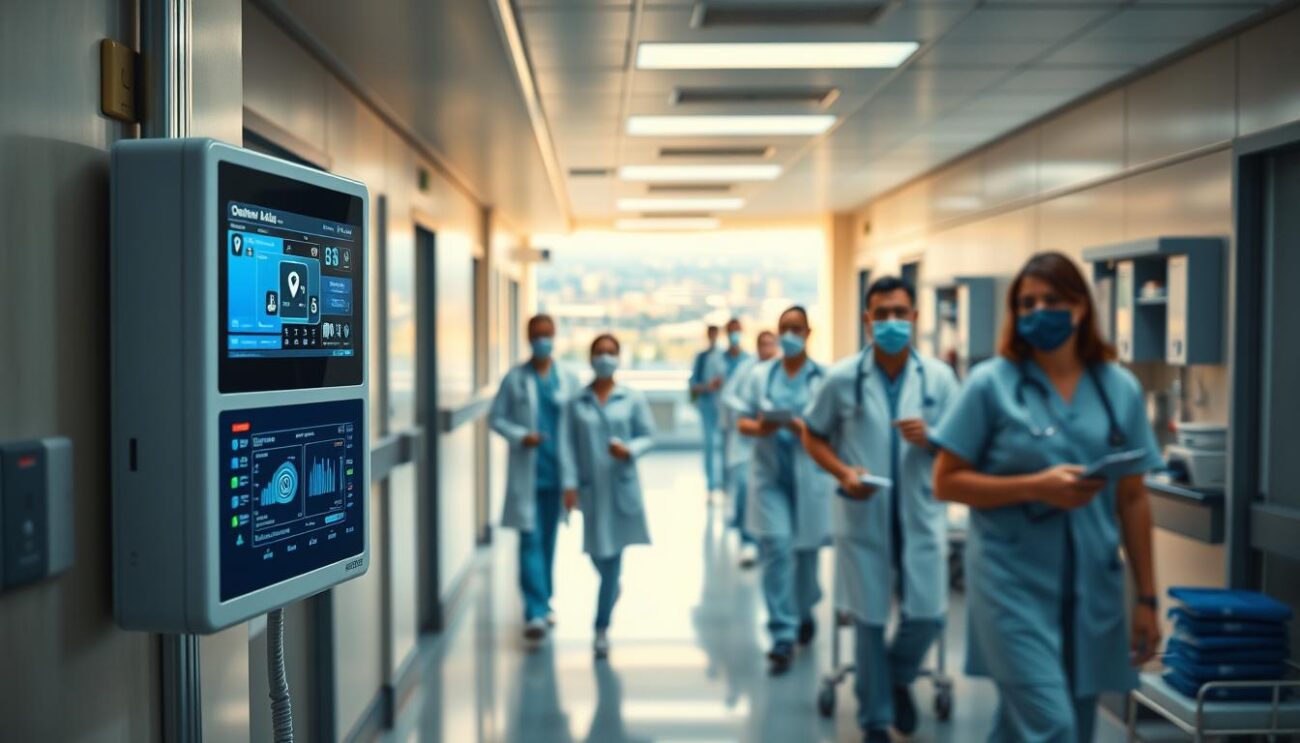
نظام استدعاء الممرضات هو تقنية حديثة تساعد في تحسين الرعاية الصحية. يتيح للتواصل السريع بين المرضى والممرضات. تقنية الذكاء الاصطناعي تلعب دورًا كبيرًا في هذا النظام.
تتمكن من تحسين كفاءة الخدمات الطبية. يمكنك التواصل مع شركة ايتاس، من الشركات الرائدة، على رقم 01222577316.

أنظمة استدعاء الممرضات الحديثة جزء أساسي في قطاع التمريض. تتيح للمرضى استدعاء الممرضات بسهولة. هذه الأنظمة تُحسن جودة الرعاية الصحية للمرضى.
تكنولوجيا الاتصال في المستشفيات تطورت كثيرًا. أدى ذلك إلى ظهور أنظمة استدعاء الممرضات الحديثة. هذه الأنظمة تسهل التواصل بين المرضى والممرضات، مما يُحسن جودة الرعاية الصحية.
تكنولوجيا الاتصال في المستشفيات تطورت كثيرًا. أدى ذلك إلى ظهور أنظمة استدعاء الممرضات الحديثة. هذه الأنظمة تسهل التواصل بين المرضى والممرضات، مما يُحسن جودة الرعاية الصحية.
الاستجابة السريعة في الرعاية الصحية مهمة جدًا. يمكن أن تؤثر على حياة المرضى. أنظمة استدعاء الممرضات الحديثة تتيح للمرضى استدعاء الممرضات بسهولة، مما يعزز جودة الرعاية.
التقنيات الحديثة مثل نظام استدعاء الممرضات مهمة جدًا. تتيح للمرضى التواصل بسهولة مع الممرضات. هذا يعزز جودة الرعاية المقدمة للمرضى.
نظام استدعاء الممرضات من شركة ايتاس يبرز الابتكار في تكنولوجيا الرعاية الصحية. يستخدم تطبيقات الصحة الرقمية لتحسين التواصل بين الفرق الطبية. هذا يسهل الوصول السريع للرعاية الصحية.
من أهم مزايا هذا النظام:
للمزيد من المعلومات، يمكنك الاتصال بـ 01222577316. سنساعدك على فهم كيف يمكن نظام استدعاء الممرضات من شركة ايتاس مساعدتك.
نظام استدعاء الممرضات الحديث يعتمد على تقنيات متطورة. هذه التقنيات تساعد في تحسين كفاءة العمل في المستشفيات. هدفها الرئيسي هو تسهيل التواصل بين الفرق الطبية.
تستخدم هذه التقنيات تقنية الاتصال اللاسلكي ونظام المراقبة المركزي. كما تتيح تكامل البيانات والتتبع. هذه التقنيات تساعد في تحسين جودة الرعاية الصحية.
تقنية الاتصال اللاسلكي تسهل التواصل بين الفرق الطبية. تساعد في تحسين كفاءة العمل في المستشفيات. كما تقلل من الوقت اللازم للرد على استدعاءات المرضى.
نظام المراقبة المركزي يتيح للمستشفيات مراقبة الاستدعاءات والمرضى. يسهل التواصل بين الفرق الطبية. يساعد في تحسين كفاءة العمل.
تكامل البيانات والتتبع يتيح تتبع البيانات والاستدعاءات. يساعد في تحسين كفاءة العمل. يسهل التواصل بين الفرق الطبية.
أداء المستشفيات يعتمد بشكل كبير على نظام استدعاء الممرضات. هذا النظام يلعب دورًا كبيرًا في تحسين جودة الرعاية الصحية. يساعد في توفير وسيلة سريعة للتواصل بين المرضى والممرضين.
باستخدام هذا النظام، يتلقى المرضى الرعاية الصحية بسرعة. هذا يزيد من رضا المرضى ويقلل من الأخطاء الطبية. كما يقلل من الوقت اللازم للاستجابة للمرضى.
يمكن تلخيص الفوائد الرئيسية للنظام كما يلي:
في نهاية المطاف، يعتبر نظام استدعاء الممرضات جزءًا أساسيًا في تحسين جودة الرعاية الصحية في المستشفيات. يساهم في تحسين كفاءة العمل وتقليل الأخطاء الطبية.

نظام استدعاء الممرضات يلعب دورًا مهمًا. يسهل على المرضى استدعاء الممرضات. هذا يجعلهم يشعرون بالأمان والراحة.
التكنولوجيا الذكية تُستخدم في هذا النظام. تساعد في تحسين الرعاية الصحية. تقليل الوقت اللازم لاستجابة الممرضات يعتبر من مزاياه.
نظام استدعاء الممرضات يغير تجربة المرضى لتحسينها. يتيح لهم الحصول على الرعاية بسرعة. هذا يزيد من رضا المرضى عن الخدمات الصحية.
النظام مهم جدًا في تحسين أداء الطاقم الطبي. يتيح لهم الوصول إلى المعلومات الطبية بسرعة. هذا يزيد من جودة الرعاية الصحية.
نظام استدعاء الممرضات يسمح للمرضى بالتواصل الفعّال مع الطاقم. هذا يسهل التواصل ويحسن الرعاية.
التكنولوجيا تلعب دورًا كبيرًا في أداء الطاقم. تشمل أنظمة المراقبة المركزية ونظم الاتصال اللاسلكي. هذه التجهيزات تساعد في الاستجابة السريعة للمرضى.
نظام استدعاء الممرضات يقلل من الوقت اللازم لاستجابة الطاقم. يزيد من كفاءة العمل ويحسن جودة الرعاية.

النظام يسمح للطاقم بالتركيز على مهامهم الأساسية. مثل تقديم الرعاية الصحية للمرضى. هذا يزيد من رضا المرضى.
في النهاية، النظام مهم جدًا في تطوير أداء الطاقم الطبي. من خلال التكنولوجيا، يتحسن جودة الرعاية ويزيد رضا المرضى.
نظام استدعاء الممرضات يمتزج بشكل جيد مع أنظمة المستشفيات الأخرى. هذا يزيد من كفاءة العمل ويوفر أفضل رعاية صحية للمرضى. يتم ذلك بفضل التطبيقات الرقمية المتقدمة التي تساعد في تبادل وتحليل البيانات بسهولة.
الابتكار في تكنولوجيا الرعاية الصحية يسمح للمستشفيات بتحسين خدماتها. نظام استدعاء الممرضات يلعب دورًا كبيرًا في ذلك. يسمح للممرضين والطبيين بالوصول السريع للمعلومات الطبية وتنسيق الرعاية بشكل فعال.
نظام استدعاء الممرضات يمتزج مع السجلات الطبية الإلكترونية. هذا يسهل الوصول إلى معلومات المرضى بسرعة. يقلل من الأخطاء الطبية ويحسن جودة الرعاية الصحية.
نظام استدعاء الممرضات يمتزج أيضًا مع أنظمة إدارة المستشفى. هذا يسمح بإدارة الموارد بشكل فعال وتحسين كفاءة العمل. يتم ذلك بفضل التطبيقات الرقمية المتقدمة التي تحليل البيانات وتحسين الأداء.
التكامل يسمح للمستشفيات بتحسين خدماتها وتقديم أفضل رعاية للمرضى. يزيد من رضا المرضى وجودة الرعاية الصحية. نظام استدعاء الممرضات يلعب دورًا هامًا في تحقيق هذا الهدف.
شركة ايتاس تقدم الدعم الفني وخدمات ما بعد البيع للمستشفيات. توفر خدمات الصيانة والتحديث، والتدريب والدعم المستمر. هذا يسمح للمستشفيات بتقديم الرعاية الصحية بسرعة.
تتميز خدمات شركة ايتاس بتقديم حلول شاملة. تساعد في تحسين كفاءة العمل في المستشفيات. تسهيل عملية التواصل بين الفرق الطبية يؤدي إلى تحسين تجربة المرضى.
المستشفيات التي تعمل مع شركة ايتاس تثق في دعم فني وخدمات ما بعد البيع عالية الجودة. يساهم ذلك في تحسين جودة الرعاية الصحية. يمكن الاتصال على 01222577316 لمعرفة المزيد.
أنظمة استدعاء الممرضات للمستشفيات تساعد في تقليل التكاليف. كما تزيد من الإنتاجية. هذا يؤدي إلى تحسين جودة الرعاية الصحية وتحسين رضا المرضى.
تستخدم هذه الأنظمة تقنية الذكاء الاصطناعي. هذا يسمح للمستشفيات بتحسين كفاءة عملياتها وتقليل الأخطاء. بعض الفوائد تشمل:
نظام استدعاء الممرضات يقلل من الأعباء الإدارية على الطاقم الطبي. هذا يسمح لهم بالتركيز على تقديم الرعاية الصحية الجيدة. وبالتالي، يمكن للمستشفيات تحقيق الفوائد الاقتصادية وتحسين جودة الرعاية الصحية.
نظام استدعاء الممرضات من شركة إيتاس يوفر حلًا متكاملًا لتحسين جودة الرعاية الصحية. يستخدم تقنيات الذكاء الاصطناعي لتسهيل التواصل بين الفرق الطبية. هذا يساعد في تقديم رعاية صحية أسرع وأكثر كفاءة.
النظام يربط المرضى والممرضات بشكل فعّال. هذا يؤدي إلى تحسين تجربة المرضى وشعورهم بالأمان. كما يتيح فوائد اقتصادية للمستشفيات.
شركة إيتاس متخصصة في تقديم حلول تكنولوجية مبتكرة. تواصل جهودها لتطوير نظام استدعاء الممرضات. هدفها تحسين أداء المستشفيات لخدمة عملائها في مصر.
نظام استدعاء الممرضات من شركة ايتاس يوفر الرعاية الصحية بسرعة. يزيد من كفاءة العمل في المستشفيات. يسهل التواصل بين الفرق الطبية.
النظام يستخدم تطبيقات صحة رقمية. هذا يجعله نموذجًا للابتكار في الرعاية الصحية.
يستخدم النظام تقنيات حديثة مثل الاتصال اللاسلكي. كما يحتوي على نظام المراقبة المركزي وتكامل البيانات.
هذه التقنيات تزيد من كفاءة العمل. وتسهل التواصل بين الفرق الطبية، مما يرفع جودة الرعاية.
النظام يزيد من كفاءة العمل في المستشفيات. يتيح للمرضى الحصول على الرعاية بسرعة.
هذا يرفع جودة الرعاية الصحية. ويقلل من الأخطاء الطبية.
النظام يسهل استدعاء الممرضات. يتيح للمرضى الحصول على الرعاية بسرعة.
هذا يزيد من شعور المرضى بالأمان. ويعزز شعورهم بالراحة.
النظام يلعب دورًا كبيرًا في تطوير أداء الطاقم الطبي. يتيح لهم الحصول على المعلومات بسرعة.
هذا يرفع جودة الرعاية الصحية.
النظام يمكن أن يتكامل مع أنظمة المستشفى الأخرى. مثل السجلات الطبية الإلكترونية.
هذا يزيد من كفاءة العمل. ويعزز جودة الرعاية الصحية.
شركة ايتاس توفر خدمات دعم فني وخدمات ما بعد البيع. مثل الصيانة والتحديث.
هذه الخدمات تتيح الحصول على الرعاية بسرعة. وتحسن جودة الرعاية الصحية.
النظام يوفر فوائد اقتصادية للمستشفيات. مثل تقليل التكاليف وزيادة الإنتاجية.
هذا يرفع جودة الرعاية الصحية. ويزيد رضا المرضى.